7 Boring Administrative Tasks AI Agents Can Do For Your Business Today
-
- by Fiaz Ahmad
- June 26, 2026
- in AI Agents & Automation, AI Business Solutions

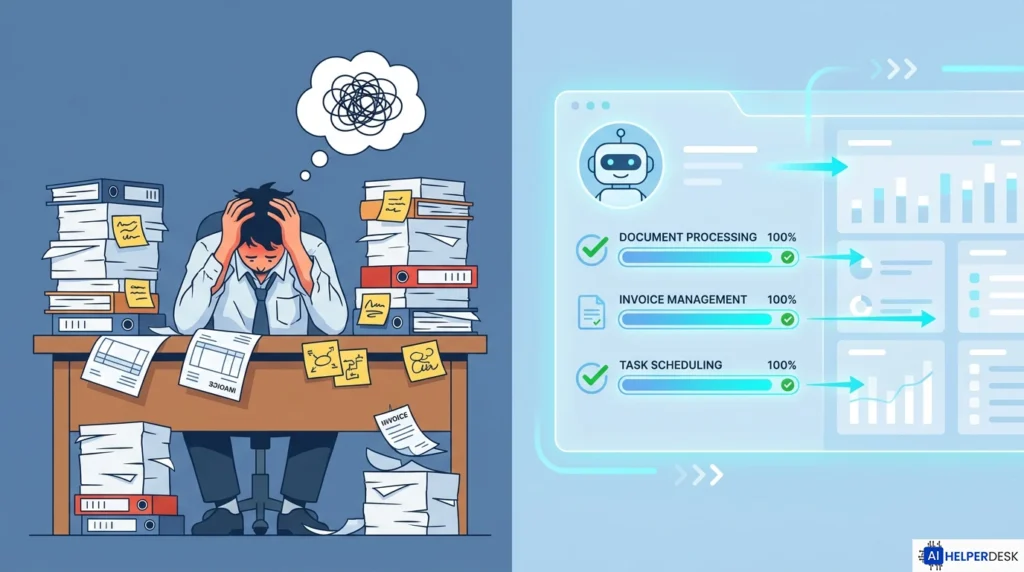
Every business runs on a mountain of repetitive work that nobody wants to deal with but everyone needs done. Scheduling meetings, processing invoices, sorting through emails, chasing down approvals. These are exactly the kinds of tasks AI agents can do without burning out, without making mistakes at hour eight, and without demanding a raise. In 2026, this technology is affordable, it is deployed across businesses of every size, and it is working. This article covers seven specific administrative tasks AI agents can do today, grounded in real deployment data, so you can make a smart, informed decision about where to start.
Why Administrative Work Is Where Tasks AI Agents Can Do Deliver the Fastest ROI
Administrative work is essentially a hidden tax on every business. It almost never generates revenue directly, but it consumes an enormous amount of time. Research compiled by Accelirate found that around 66% of organizations using AI agents have seen measurable productivity improvements specifically from automating repetitive work. A McKinsey report puts AI agents on track to add between $2.6 and $4.4 trillion in annual business value across industries, with back-office automation consistently landing among the highest-impact categories.
The reason administrative tasks make such a strong starting point is straightforward. They are high-volume, well-defined, and easy to measure before and after automation. When you automate invoice processing, you can directly compare processing time and error rates. When you automate scheduling, you can track the hours your team gets back. That measurability is exactly why analysts from Gartner and IDC keep pointing to these workflows as the fastest route to demonstrable ROI for businesses deploying agents for the first time.
By 2026, Gartner predicts that 40% of enterprise applications will include task-specific AI agents, up from less than 5% in 2025. That kind of acceleration reflects a real shift from experimentation to full production deployment across industries. Knowing which tasks AI agents can do in your business, and which ones to tackle first, starts with understanding where operational time is quietly disappearing at scale. The seven categories below represent the tasks AI agents can do with the highest ROI, the lowest implementation risk, and the clearest before-and-after results.
The 7 Tasks AI Agents Can Do Right Now

1. Invoice Processing and Accounts Payable
Invoice processing sits at the top of almost every enterprise automation priority list, and for good reason. Manual invoice handling touches data entry, purchase order matching, exception routing, approval chasing, and ERP posting. Every single step introduces delay and the opportunity for error. Among the tasks AI agents can do autonomously, invoice processing stands out because the volume is high and the outcomes are easy to measure.
Agents extract data from PDFs and scanned documents using optical character recognition, match invoices against purchase orders, flag discrepancies, route approvals based on value thresholds, and push confirmed invoices directly into accounting platforms like QuickBooks, NetSuite, or SAP. Finance teams that have gone live with AI agents for accounts payable are reporting process cycle time reductions of 30 to 50%, with vendor response times dropping from 24 to 48 hours down to just minutes.
One important thing to keep in mind: AI invoice agents perform best when paired with human oversight for high-value or unusual transactions. A well-configured system escalates exceptions intelligently rather than processing everything blindly, which is what separates responsible deployments from ones that create costly mistakes.
2. Email Triage and Inbox Management
Inbox management is one of the most underestimated tasks AI agents can do, yet it may be the one that gives individual employees the most time back every single day. A good AI email agent does not just suggest replies. It reads incoming messages, classifies them by urgency and type, drafts context-aware responses, updates CRM records, schedules follow-up meetings, and routes threads to the right person, all before a human even opens their inbox.
For sales teams, follow-up emails go out automatically after demo calls. For support teams, tier-one queries get resolved before a human agent has logged in for the day. For operations managers, vendor emails trigger workflow updates directly inside project management tools. The agent handles the predictable volume, and your team focuses on the conversations that genuinely require human judgment.
Security is the one area worth moving carefully. A 2026 Darktrace report notes that 92% of security professionals express concern about AI agents operating inside email systems, primarily because email carries sensitive data including invoices, contracts, and employment details. The right approach is to start with read-only access on a low-risk mailbox, verify how your vendor handles data, and expand permissions gradually as the system proves reliable.
3. Meeting Scheduling and Calendar Management
Scheduling is fundamentally a coordination problem. It requires access to information and the ability to follow rules, not actual human intelligence. It belongs firmly in the category of tasks AI agents can do faster and more accurately than any human assistant juggling multiple calendars at once. AI scheduling agents read availability, propose meeting slots, send invites, handle rescheduling requests, attach relevant documents, and automatically send pre-meeting summaries.
A pattern emerging from enterprise deployments is what analysts at Second Talent describe as a “digital middle management” layer, where AI agents own scheduling and coordination while human managers stay focused on strategy rather than logistics. This shift is already measurable: managers in organizations running agentic workflows report offloading roughly 40% of their administrative burden.
4. HR Onboarding and Resume Screening
HR teams face serious administrative pressure during hiring surges. Reviewing hundreds of resumes against job criteria, scheduling screening calls, sending offer letters, provisioning IT accounts, enrolling new hires in benefits platforms, and coordinating orientation sessions across departments are all tasks AI agents can do as a connected workflow rather than a series of disconnected manual steps.
In practice, an HR AI agent reviews incoming applications, scores candidates against defined criteria, schedules first-round interviews with shortlisted candidates, sends standardized communications, and then coordinates across HR, IT, facilities, and payroll to complete onboarding without a single checklist being touched by hand. Healthcare organizations using similar systems report administrative staff spending 60% less time on scheduling and admin cycles, with better documentation accuracy as a bonus.
For businesses that want to build these workflows without a developer team, platforms like Make.com, Flowise, and Langflow now offer no-code and low-code options that make agent configuration accessible to non-technical users. A detailed comparison of those tools is available in this guide to no-code AI agent builders for 2026.
5. Data Entry, CRM Updates, and Report Generation
Data entry is where human attention gets wasted at scale. Sales calls happen but CRM fields stay empty. Customer interactions occur but notes never get logged. Reports are due but pulling the data takes half a day. These are precisely the tasks AI agents can do faster and with fewer errors than any human doing the same job repeatedly across a full shift.
An AI agent integrated with a CRM like Salesforce or HubSpot can listen to call transcripts, pull out the key information, update contact records, log activity notes, and set follow-up reminders without any manual input from the sales rep. Reporting agents, running separately, pull data from multiple systems on a set schedule, generate formatted reports, and distribute them to the right stakeholders automatically.
The downstream effect is cleaner data across the whole organization. When CRM records are consistently updated, forecasting gets more reliable. When reports are generated on autopilot, leadership gets timely information rather than approximations built from memory. IDC has found that companies that fail to establish AI-ready data foundations risk a 15% productivity loss by 2027, which is a compelling reason to start cleaning up data quality now.
6. Customer Support Ticket Resolution
Customer support is the single most widely adopted function for AI agents in 2026, with 56% deployment across organizations in multiple industry surveys. The economics make the adoption rate easy to understand. Human support agents cost between $6 and $8 per conversation. AI agents handle the same interaction for $0.50 to $0.70. For businesses managing thousands of support tickets every month, that cost difference adds up fast.
Password resets, order status checks, refund processing, FAQ responses, and account updates are all standard tasks AI agents can do completely on their own. Complex cases involving emotional nuance, billing disputes, or unusual situations get escalated to human agents, with a full context summary already prepared and waiting.
The metric worth tracking is Tier-1 resolution rate: what percentage of incoming tickets get resolved without a human getting involved. Leading deployments are targeting 80% autonomous resolution while maintaining full audit trails for compliance. According to the Gartner press release on enterprise AI agent adoption, task-specific agents embedded in customer service workflows are among the highest-confidence ROI categories heading into 2026.
7. Compliance Monitoring and Audit Trail Management
Compliance is one of the most time-consuming administrative burdens in regulated industries. Collecting documentation, maintaining audit logs, monitoring transactions for policy violations, generating regulatory reports, and flagging anomalies before they become real problems are all tasks AI agents can do continuously and without the fatigue that affects human reviewers grinding through repetitive compliance checks.
Enterprise deployments of compliance agents are reporting 70 to 80% reductions in process cycle times for audit workflows. In financial services, AI agents monitor transactions in real time, flag suspicious activity as it happens, and maintain audit-ready records without an analyst running queries after the fact. In legal, contract review agents flag non-standard clauses and route exceptions, allowing law departments to handle three to four times more contract volume with the same team size.
Forrester projects that by 2026, half of enterprise ERP vendors will launch autonomous governance modules combining explainable AI with automated audit trails and real-time compliance monitoring. That signals a future where compliance becomes a continuously running background function rather than a periodic manual exercise.
Key Statistics Behind the AI Agent Business Case
The data supporting investment in administrative AI automation is consistent across every major source. Around 57% of companies report significant cost reductions from AI agent deployment. Teams running agentic workflows reclaim 40 or more hours per month on routine tasks. Organizations implementing workflow orchestration agents report 70 to 80% reductions in process cycle times. Enterprises deploying agents for invoice processing and customer support are seeing payback periods of three to six months, according to McKinsey’s 2026 State of AI survey.
The autonomous agent market reached $5.83 billion in 2026, up from $4.42 billion in 2025, with a compound annual growth rate through 2030 projected at 46.3% by MarketsandMarkets. That growth is being driven by measurable productivity returns across finance, HR, customer service, and compliance, not by speculation.
Real-World Use Cases Across Industries
In healthcare, administrative agents are cutting scheduling and billing workload by up to 30%, giving clinical staff more time to focus on patient care. The range of tasks AI agents can do in healthcare administration alone, from claims processing to patient triage to appointment management, is projected to save the US sector $150 billion annually by the end of 2026.
In financial services, AI agents handle invoice reconciliation, fraud detection, and Know Your Customer (KYC) compliance workflows. Banks report moving unstructured data match rates in cash application processes from 20% to over 80% after agent deployment, a transformation that would otherwise require dozens of additional analysts to replicate manually.
In professional services firms, HR agents cut time-to-hire by handling resume screening and interview coordination on their own, while contract review agents allow smaller legal teams to process higher volumes without proportional headcount increases. Retailers are using inventory management agents to monitor stock levels, trigger reorders, and flag supply chain exceptions before they affect the customer experience. Across every one of these sectors, the pattern is the same: the tasks AI agents can do best are the ones humans find most tedious and most prone to error under volume pressure.
Expert Analysis
The most important strategic insight buried in the 2026 data is this: the businesses seeing real returns from AI agents are not the ones deploying the most sophisticated systems. They are the ones that picked one high-volume, well-defined workflow, measured it carefully before automation, and validated results before expanding.
The failure pattern is equally clear. Organizations that bolt AI agents onto broken processes just end up with faster broken processes. The ROI gap between AI leaders and laggards is not primarily a technology gap. It is an organizational design gap. Companies that redesign workflows around agent capabilities see genuine efficiency gains. Companies that treat agents as a layer on top of existing processes generally come away disappointed, even when the underlying technology is sound.
There is also a governance dimension that many mid-market businesses consistently underestimate. Over half of AI tools operating inside companies in 2026 reportedly run as shadow agents without formal IT approval. That creates compounding risk: security gaps, data handling exposures, and compliance liability. Businesses that establish clear policies around agent identity, data access, and human escalation paths before scaling see substantially better outcomes than those that move fast and govern later.
The security concern is real but manageable. Implementing role-based access controls, audit logging, and least-privilege permissions from day one is not a barrier to adoption. It is the design standard that separates responsible deployments from the 33% of organizations Gartner warns risk damaging customer experience by deploying immature agents too early.
The seven types of tasks AI agents can do covered in this article share three key characteristics: they are measurable, they are well-defined, and they have a clear human escalation path for exceptions. Any business that starts here, measures carefully, and governs properly will find that the business case for administrative AI automation is not a projection. It is already proven by the organizations that moved first.
Future Outlook
The near-term trajectory is clear. Microsoft’s 2026 Work Trend Index found that 85% of executives believe employees will rely on AI agent recommendations to make real-time, data-driven decisions by the end of 2026. Forrester expects half of enterprise ERP vendors to ship autonomous governance modules within the year. Gartner sees 33% of user experiences shifting from traditional app interfaces to agentic front ends by 2028.
The longer shift is toward multi-agent systems, where specialized agents collaborate across functions. A finance agent, an HR agent, and a compliance agent could coordinate a vendor onboarding workflow from start to finish, each handling their own domain, passing context, and escalating to a human only when a decision genuinely requires judgment. According to the Microsoft 2026 Work Trend Index, the most advanced AI users are already structuring their teams as human-plus-agent units, with documented workflows for handoffs and quality standards.
For businesses that have not yet deployed, the window for early-mover advantage is narrowing but not closed. The administrative tasks AI agents can do described in this article remain the fastest path to tangible ROI, and the platforms needed to implement them without large engineering teams are more accessible now than they have ever been.
Conclusion
The administrative workload consuming hours every week inside most businesses is not something you just have to live with. The tasks AI agents can do today, from processing invoices to triaging email to managing compliance workflows, are precisely the kind of high-volume, rule-heavy work that agents handle reliably and at scale. The data from 2026 deployments is consistent: organizations that start with well-defined administrative tasks AI agents can do, measure carefully, and govern responsibly are seeing real returns within a single quarter. The technology is ready, the proven use cases are documented, and the only remaining question is which workflow your business decides to tackle first.
Frequently Asked Questions
The most practical tasks AI agents can do for small businesses include email triage, appointment scheduling, invoice processing, customer support ticket resolution, and CRM data entry. These are exactly the kinds of tasks AI agents can do without requiring a large IT budget or a dedicated technical team. These workflows deliver fast, measurable results without complex integration requirements, making them a natural fit for teams without dedicated IT resources.
Start with the task that is highest in volume, lowest in exception handling, and easiest to measure. Invoice processing, support ticket resolution, and calendar scheduling consistently deliver ROI within one quarter for first-time AI deployments. These are well-defined workflows where before-and-after comparison is straightforward.
Traditional automation tools like RPA follow fixed rules and break when inputs change. AI agents can reason through unstructured data, handle exceptions, and adapt to new situations within defined boundaries. For predictable, high-volume tasks, traditional automation still works well. For tasks involving unstructured inputs like emails or documents, AI agents significantly outperform rule-based tools.
Yes, and the data is consistent. Organizations using AI agents for administrative workflows report reclaiming 40 or more hours per month at the team level. Individual functions like accounts payable and customer support show 30 to 50% cycle time reductions. The gains are real, but they depend on proper configuration, governance controls, and a clear escalation path for exceptions.
The primary risks are security exposure from broad data access, compliance gaps from unmonitored agent behavior, and poor customer experience from deploying agents too early on complex workflows. These risks are manageable with proper governance: role-based access controls, audit logging, staged deployment starting with low-risk workflows, and keeping humans in the loop for high-value decisions.
Not necessarily. No-code and low-code platforms have made agent configuration accessible to non-technical teams. Tools like Make.com, Flowise, and Langflow let business users build and deploy agents through visual interfaces. For more complex integrations with ERP or CRM systems, developer support may be needed, but many standard administrative workflows can be automated without writing a single line of code.

3 Comments: