How to Build Free AI Agent with n8n and Claude API
-
- by Fiaz Ahmad
- June 24, 2026
- in AI Agents & Automation, AI for Developers

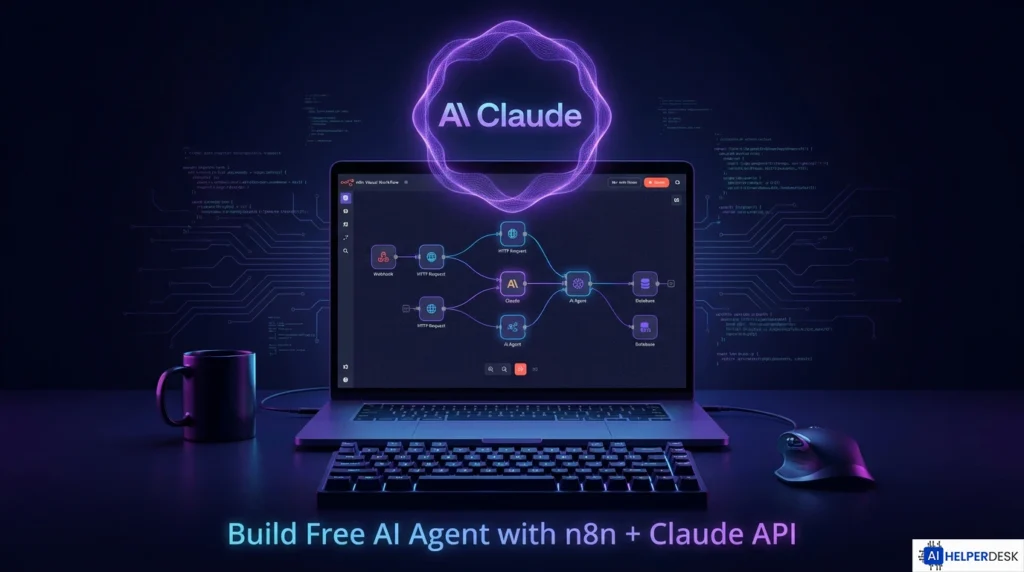
If you want to build free AI agent workflows in 2026, the n8n and Claude API combination is one of the strongest beginner-friendly stacks you can start with. n8n gives you a visual, open-source workflow canvas. Anthropic’s Claude API handles the intelligence layer. Together, they let you build free AI agent systems that read emails, summarize documents, call external APIs, and respond to live data, all without writing hundreds of lines of backend code.
The timing is worth paying attention to. Searches for AI automation tools grew by 900% year over year in 2025, and the global AI agent market reached 10.91 billion dollars by early 2026. Gartner projects that 40% of enterprise applications will incorporate AI agents by the end of this year. Getting started with a free, open-source stack right now is one of the fastest ways to build skills that will become baseline expectations across industries.
This guide walks you through everything, from setting up your environment to deploying a working agent. It covers real-world use cases, cost breakdowns, security considerations, and a full FAQ to answer the questions that come up most often.
What Is n8n and Why It Lets You Build Free AI Agent Workflows
n8n is an open-source workflow automation platform with over 193,000 GitHub stars, a community of more than 200,000 members, and native support for over 400 integrations. Its Community Edition is completely free to self-host, with unlimited workflow executions and access to every integration in the catalog. There is no per-task billing, which means you can build free AI agent pipelines of any complexity without watching a usage counter climb.
Here is where n8n pulls ahead of Zapier and Make. Those platforms charge per task or operation. n8n charges per workflow execution. A two-node workflow and a fifty-node AI agent workflow each consume exactly one execution credit per run. For AI agent workloads that involve many internal steps, that is a significant cost advantage.
The native AI Agent node is what makes n8n genuinely powerful for agentic work. Rather than just passing a prompt to a language model and returning a response, the AI Agent node gives Claude decision-making authority over which tools to call, and in what sequence, to complete a multi-step task. Every step of that reasoning is visible on the canvas, which makes debugging and iteration far faster than working with code-only frameworks.
Understanding the Claude API Cost Structure
Anthropic’s Claude API uses per-token pricing. As of mid-2026, the current model lineup covers three production tiers. Claude Haiku 4.5 costs 1 dollar per million input tokens and 5 dollars per million output tokens. Claude Sonnet 4.6 costs 3 dollars input and 15 dollars output per million tokens. Claude Opus 4.8, released in May 2026, costs 5 dollars input and 25 dollars output per million tokens.
There is no permanent free tier for production API use, but Anthropic does provide trial credits to new accounts through the API console. Prompt caching reduces the cost of repeated inputs by 90%, and the Batch API cuts all token rates by 50% for asynchronous tasks. A moderately active agent running on Sonnet 4.6 with caching in place typically lands between 30 and 100 dollars per month at production traffic levels.
For anyone just getting started, the combination of n8n’s free self-hosted edition and Anthropic trial credits means you can build free AI agent prototypes and test them under real conditions before committing to ongoing API costs.
Prerequisites to Build Free AI Agent with This Stack
Three things need to be in place before you start. First, a running n8n instance. For local testing, run npx n8n in your terminal and the interface opens at localhost:5678. For persistent server deployment, Docker is the recommended approach and is documented in full at the official n8n documentation. A basic VPS on Hetzner or DigitalOcean at 12 to 20 dollars per month is more than enough for personal and small-team use.
Second, an Anthropic API account with trial credits, which you can create at console.anthropic.com. Third, a basic familiarity with how n8n connects nodes. The platform’s built-in templates and walkthrough take roughly 30 minutes to work through, and that is enough to start building on your own.
Step-by-Step: How to Build Free AI Agent with n8n and Claude API
Step 1: Add Anthropic Credentials to n8n
Navigate to Settings, then Credentials, then Add Credential inside n8n. Search for Anthropic and select the Anthropic API credential type. Paste your API key, which starts with sk-ant-, and save. Every Anthropic node in your workflows will reference this credential automatically. No additional headers are required for standard usage.
Step 2: Create a Workflow and Add a Trigger
Click New Workflow on the canvas, then select a trigger node based on how you want the agent to start. The Schedule Trigger fires the agent on a recurring time interval, such as daily at 7am. The Webhook Trigger accepts incoming HTTP POST requests from any external service. The Gmail Trigger and Slack Trigger fire when new messages arrive in those platforms. Pick the trigger that fits your use case.
Step 3: Add the AI Agent Node
Click the plus button after your trigger and search for AI Agent. This node is the core of the workflow. Configure it with a system prompt that defines the agent’s role. A system prompt for a support agent might read: You are a professional customer support assistant. Write a concise, helpful response to the message below. Keep your tone friendly and accurate.
Step 4: Connect the Anthropic Chat Model
Inside the AI Agent node, click the Chat Model input and add a new Anthropic Chat Model node. Select your saved credential and choose your model. For most beginners, claude-sonnet-4-6 is the right starting point. Set Max Tokens to at least 1024 and leave Temperature at 0.7 for general-purpose tasks.
Step 5: Add Tools to the Agent
Connect additional n8n nodes to the Tools input on the AI Agent node. These become the actions Claude can call on its own. The HTTP Request node lets the agent fetch live data from any REST API. The Google Sheets node handles reading and writing structured records. The Gmail node sends responses. Claude decides which tools to use based on the task description in the incoming data and the instructions in your system prompt.
Step 6: Test and Deploy
Use n8n’s built-in test execution to run a sample input through the full workflow. Inspect each node’s output directly on the canvas. When the agent behaves correctly, toggle the Active switch to deploy. The workflow runs automatically based on its trigger from that point forward.

Key Statistics on Agentic AI in 2026
The numbers behind the decision to build free AI agent workflows right now are hard to ignore. The global AI agent market has grown fivefold since 2024, reaching 10.91 billion dollars. Projections from multiple analysts place it above 52 billion by 2030. Gartner estimates that 40% of enterprise applications will incorporate AI agents by the end of 2026. Among engineers, 75% report starting new AI projects with free or open-source tools, which is exactly the approach this guide covers.
On the platform side, n8n sits in the top 50 most-starred repositories on GitHub globally and holds a 4.9 out of 5 rating on G2. Practitioners who have moved from LangChain code to n8n’s visual interface consistently report cutting new agent build time from roughly 10 hours to under one hour.
Real-World Use Cases
Daily Email Digest Agent
A Gmail Trigger collects unread emails. The Anthropic Chat Model node summarizes each message. An Aggregate node compiles all summaries. A final Gmail node delivers a clean daily digest. Claude handles the content understanding, not just the routing. This is one of the easiest first workflows for anyone who wants to build free AI agent tools without any prior automation experience.
Customer Support Response Agent
An incoming webhook receives support tickets from a web form or CRM. The AI Agent node reads the ticket content, queries a Google Sheets knowledge base via a tool call, and drafts a response. That response either goes out automatically or gets routed to a human review queue based on a confidence threshold. Teams running this pattern in 2026 report automated resolution of 60 to 80% of inbound tickets without any manual handling.
Automated Research Briefing Agent
A Schedule Trigger fires at 7am each day. The agent calls a search API via HTTP Request to pull the latest developments in a chosen topic, passes the results to Claude for synthesis and HTML formatting, and emails a styled newsletter to the recipient. The entire workflow runs without any ongoing human input once deployed. This is a production-grade use case that teams have built using exactly the tools covered in this guide.
Risks, Challenges, and Limitations
A few real limitations deserve honest attention before you deploy a production agent. The Anthropic API has no permanent free tier, so ongoing token costs will apply after trial credits are exhausted. Monitoring usage through the Anthropic console and enabling prompt caching for any workflow with stable system prompts are essential steps for keeping costs in check.
n8n’s Community Edition is free but requires server management. Non-technical users who prefer managed infrastructure should look at n8n Cloud plans starting at around 20 dollars per month, which remove the self-hosting overhead while preserving most platform capabilities.
AI agents that connect to external triggers are inherently exposed to prompt injection attacks, where malicious content embedded in incoming data attempts to override the agent’s instructions. This is a real production-level security risk. Before deploying any agent that processes untrusted external content, it is worth reading how to secure AI agents against prompt injection attacks in production, which covers input validation, system prompt isolation, and layered defense patterns specific to this type of workflow.
Workflows with more than 50 nodes can trigger API timeouts in some configurations. Starting with 5 to 10 node workflows and expanding incrementally is the most reliable path for both stability and debugging.
Expert Analysis
The n8n and Claude API combination is strategically well-positioned for 2026, but the real advantage is not what most introductory content emphasizes. The observable reasoning on the canvas, the 400-integration ecosystem, and Claude’s strong performance on structured output and instruction-following tasks combine to produce something code-only frameworks genuinely struggle to replicate: a system that non-engineers can inspect, modify, and maintain without specialist help.
The market data also signals something worth noting about where value is actually being created. Businesses adopting agentic workflows are not primarily eliminating roles. They are compressing cycle times on tasks that previously required synchronous human attention. An agent that handles 70% of incoming support tickets does not replace a support team. It redirects that team toward the 30% of cases that genuinely require judgment and relationship management.
The cost economics support broader adoption. Claude Opus pricing has dropped 67% since earlier generations, and Haiku 4.5 now delivers near-frontier intelligence at a dollar per million input tokens. The ability to build free AI agent prototypes today and scale them affordably as quality requirements increase is a meaningful structural advantage for teams starting out now.
The main risk for new builders is not technical. It is the discipline gap between a working prototype and a production-safe agent. Prompt engineering, input validation, output constraints, and security configuration are all learnable skills, but they require deliberate attention. Agents that skip these steps tend to fail in ways that are difficult to diagnose after the fact.
Future Outlook
The roadmap for n8n and Claude-powered agents points toward greater autonomy and more sophisticated coordination between agents. Anthropic’s Model Context Protocol, already supported inside n8n, enables persistent context across sessions and multi-agent pipelines where a primary orchestrator delegates subtasks to specialized sub-agents. This architecture is moving from experimental to production-grade in 2026.
The integration of Claude Code with n8n’s API allows entire workflow architectures to be generated from natural language descriptions in minutes. Practitioners report cutting new agent build time from ten hours to under one hour with this approach. As model quality improves and API costs continue to fall, the gap between prototype and production-scale deployment will keep narrowing.
The skills built in this workflow, trigger design, tool architecture, prompt engineering, and output structuring, transfer directly to any future agentic platform. Building now is the most practical way to stay ahead of where this technology is heading.
Conclusion
The ability to build free AI agent workflows with n8n and Claude is available today, backed by a mature toolset and a pricing structure that makes serious experimentation genuinely accessible. n8n’s Community Edition provides an unlimited free platform. The Claude API offers trial credits and a model lineup that scales from one dollar per million tokens at the Haiku entry level to full production-grade performance at Sonnet and Opus tiers.
Anyone who follows this guide can build free AI agent systems that automate email management, customer support, research, and data processing, all within a single day of starting. The skills involved, prompt engineering, tool configuration, workflow debugging, and security hardening, are transferable to any agentic platform that comes along in the years ahead.
The market data, the cost trends, and the platform maturity all point in the same direction. If you want to build free AI agent capabilities into your technical toolkit, there is no better time to start than right now.
Frequently Asked Questions
Yes. n8n’s visual canvas handles logic, conditions, and data transformation through a drag-and-drop interface. No programming background is required. The main learning curve involves understanding how nodes connect and how to write clear system prompts for Claude. Most beginners produce a working agent within a day or two of starting.
n8n’s Community Edition is free to self-host. The Claude API provides trial credits to new accounts. At standard rates, Haiku 4.5 starts at one dollar per million input tokens. With prompt caching enabled, costs drop by up to 90% on repeated inputs. A low-volume agent on Haiku 4.5 can run for weeks on trial credits before any charge applies.
Self-hosted n8n keeps workflow data and credentials within your own infrastructure. Only the text sent to the Anthropic API leaves your servers. For production deployments, input validation and output constraints are essential, particularly for agents that process incoming data from untrusted sources. Security hardening should be a deliberate step before go-live.
A Chat Model node sends a single prompt to Claude and returns a response. An AI Agent node gives Claude access to tools and lets it decide autonomously which tools to call and in what sequence to complete a task. For simple question-and-answer workflows, a Chat Model node is sufficient. For autonomous multi-step task completion, the AI Agent node is what you need.
Claude Sonnet 4.6 is the recommended starting point. It supports up to one million tokens of context, handles coding, analysis, and instruction-following tasks well, and costs three dollars per million input tokens. For high-volume, latency-sensitive workflows where cost is the priority, Claude Haiku 4.5 at one dollar per million input tokens is the better choice.
Yes. By connecting HTTP Request nodes and search API tools to the AI Agent node, Claude can autonomously query external sources, synthesize results, format the output, and deliver it via email or CRM. This is the foundation of daily research briefing agents, content pipelines, and competitive monitoring workflows that run without any manual input once deployed. The official Anthropic model documentation provides detailed specifications on context window sizes and tool-calling capabilities for each Claude model.
